WhatsApp team inbox
Every WhatsApp and Telegram conversation in one real-time inbox your whole team can open.
Free during the open beta. No card needed.
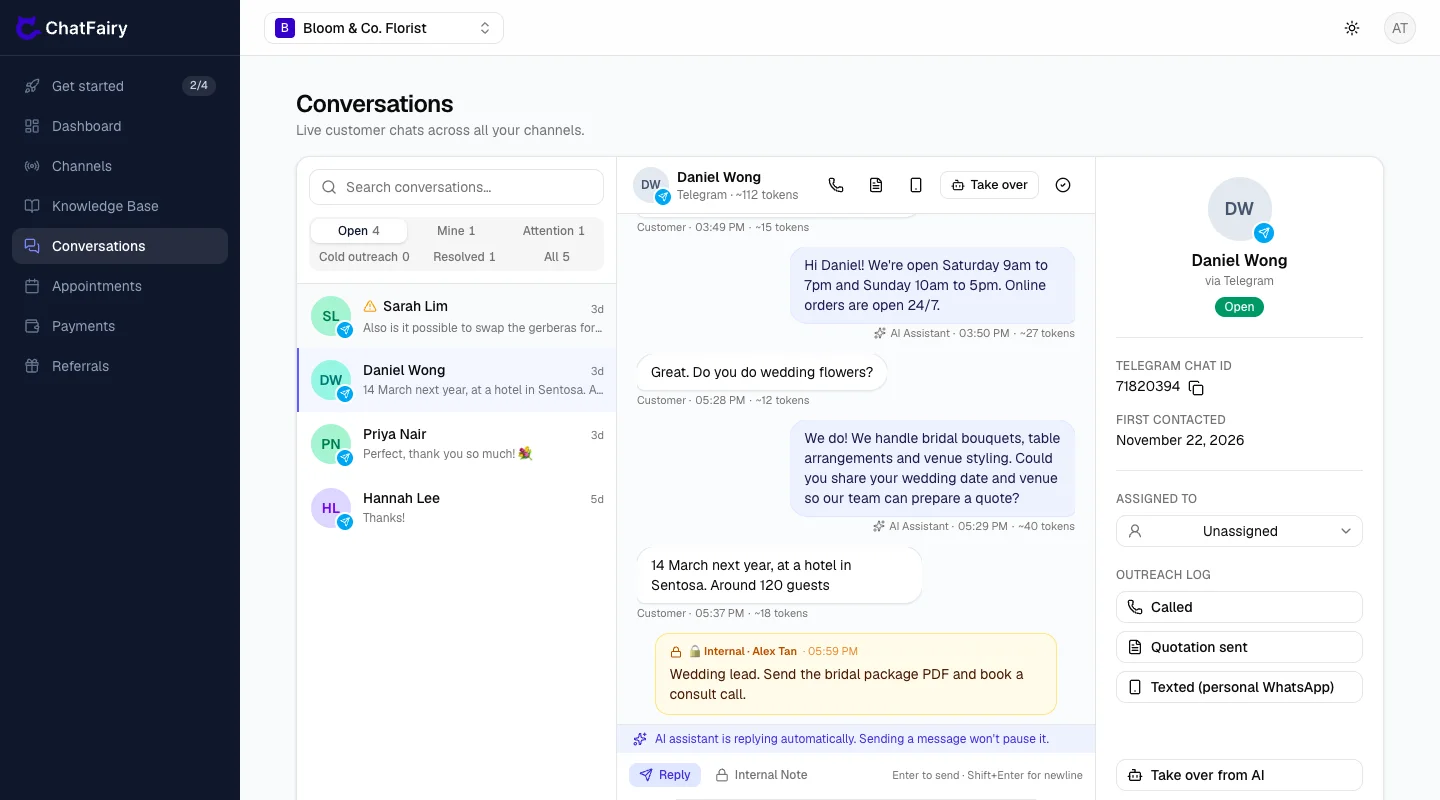
Read along while the assistant answers, jump in mid-chat, or leave it to the AI.
What it does
Both channels, one list
WhatsApp and Telegram conversations sit side by side and use the same knowledge base.
Several people, one number
Your team works the same WhatsApp number from their own logins, with roles for who can change settings.
Take over and hand back
Reply to any chat to pause the AI on it, then switch the AI back on.
Notes and assignment
Leave an internal note the customer never sees, and assign a conversation to a teammate.
Media
Photos, voice notes, videos and files from customers show in the chat.
Web and phone
Read state and assignments stay in step between the web dashboard and the iPhone app.
Team
Invite teammates by email. During the open beta there is no limit on team members. An audit log records changes to settings.
Limits
- The inbox covers WhatsApp and Telegram only.
- Outside the 24 hours after a customer's last message, WhatsApp only allows approved templates. See the 24-hour window.